Anyone else built a direct MCP connection between Claude AI and Jobber?
I set up a direct MCP integration between Jobber and Claude AI — meaning Claude can query my Jobber account in real time and pull live data like client counts, job status, and invoices on demand. Took some work to get running but it's live. Current limitation is it's read-only. Jobber's MCP tools are still limited on the write side, which is where it would get really powerful — imagine AI-assisted job creation, status updates, or dispatching without touching the app. Curious if anyone else has built this connection, and more importantly, if anyone has figured out how to get write access working.885Views2likes19CommentsHow do I connect Jobber to ChatGPT or Claude?
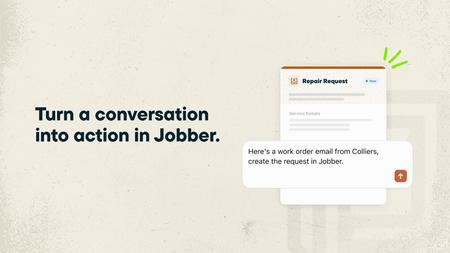
If you regularly use ChatGPT or Claude to help run your business, you can now make those conversations even more useful by connecting your Jobber account. With the ChatGPT Plugin and Claude Connector, powered by Model Context Protocol (MCP), ChatGPT and Claude can use information from your Jobber account alongside your other connected business tools. That means you can ask questions about your business, get answers based on your actual data, and even get things done in Jobber without jumping between apps. What you can do by connecting Jobber to ChatGPT and Claude: Get a head start on your day. Ask “What’s my schedule looking like today?” and get a rundown of your upcoming jobs and visits. See who’s behind on payments. Ask “Which invoices are still outstanding?” to quickly see what’s overdue and needs your attention. Keep quotes moving. Ask “Which quotes need a follow-up?” to find quotes that are still waiting for a response. Turn emails into requests. Got a new customer inquiry sitting in your inbox? Ask ChatGPT or Claude to create a client and request in Jobber using the details from that email. Spend less time building quotes. Ask ChatGPT or Claude to draft a quote from an existing request or for a new job. It’ll prepare the quote in Jobber for you to review before sending it to your customer. And you’re not limited to asking about Jobber! Since ChatGPT and Claude can connect to other business tools, you can bring information from across your business into one conversation.You don’t need to know anything about coding or AI to get started. Just ask questions the same way you’d ask someone on your team. Learn more and give it a try: 🔗 Connect Jobber to ChatGPT 🔗 Connect Jobber to Claude We’d love to hear how you’d use this! If you could ask ChatGPT or Claude to take one task off your plate, what would it be?54Views0likes0CommentsI built an AI assistant that runs my office
A few weeks ago I shared how I built a one-step enrollment system for my lawn care program — client enters their info, credit card goes on file, and they're enrolled. No quote approval, no back-and-forth. Automated sequences handle the welcome email, welcome text, and contact setup. One step, done. Coming from a background as an electrician, I tend to look at everything as a circuit. If there’s a break in communication or a 'loose wire' in my lead flow, the whole system fails. I decided to stop fighting the mess and started 'wiring' my office the same way I would a complex panel. I built an AI operations system that runs alongside Jobber. Every text, phone call, email, voicemail, missed call, and website form submission automatically gets logged to a centralized database through a series of Zaps. Every client has one record, one timeline, and one clear next action at all times. Every morning before I head out, I run a 5-minute briefing with an AI assistant. It reads the full client database through an MCP server — which basically means the AI has live access to every client interaction in real time. It tells me who contacted me overnight, who's waiting on a response, who's going cold, and what I should do next for each person. It drafts the messages. I review, edit if needed, and send. I also set up an AI receptionist on my business phone line. It answers calls, can answer common questions about services and pricing, takes client information, and transfers calls when needed. It can also send texts to the caller during or after the call — like a direct link to the enrollment page or the resources section on my website. It handles multiple calls at the same time. No more missed calls going to voicemail. The tools: Jobber for jobs, scheduling, and service history. An MCP-connected database for the client timeline. Zapier to connect everything. An AI assistant for daily briefings and client communication. An AI receptionist for inbound calls. Jobber stays at the center — it's my source of truth for every job, every visit, every quote. The AI layer sits on top and makes sure nothing falls through the cracks between Jobber and everything else. I'm planning my first hire this season. Not because I'm behind — because the systems are handling the admin load well enough that I can focus on growing. The AI doesn't replace a person. It replaced the office work I used to do at 10 PM after a full day in the field. If anyone's curious about how any of this works, happy to answer questions. I'm not selling anything — just sharing what I've built because this community helped me think through a lot of it.989Views12likes13CommentsJobber Media Opportunity! Using Jobber AI and seeing real results? 👀 We want to feature you.
Jobber's marketing team is looking to connect with a few pros who are using Jobber’s AI tools. We’d love to chat if you: Have noticed measurable wins (more booked jobs, revenue growth, faster replies, fewer missed calls, etc.) Can speak to operational efficiency gains (e.g., handling more inquiries without hiring, delaying headcount, saving meaningful time each week) Feel like AI is giving you a competitive edge in your market Are comfortable sharing high-level numbers (percent growth, hours saved, call volume handled, etc.) Would be open to speaking with media if selected If that sounds like you, send me a DM, and I’ll connect you with our PR team. We’d love to help amplify your story!85Views0likes0Comments