Is Jobber’s two-way text messaging worth the upgrade?
Hello community! We are thinking of upgrading and the main reason is to utilize two way texting. How many of you use it and how do you use it to maximize its usage? Also, would you go back and not have it if you could choose? Or is it just that incredible? Thanks for the feedback!💡FEATURE REQUEST: Schedule Send Communications
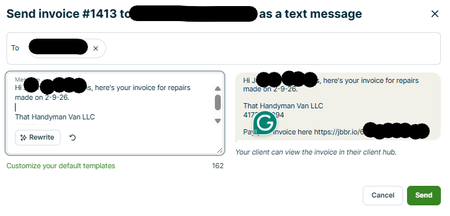
When I’m ready to send an estimate or invoice, Jobber makes it easy to send directly to the customer. The issue is timing. I often finish admin work outside normal business hours because I’m in the field during the day. When I send estimates/invoices late at night, it can feel unprofessional (or at minimum, it triggers customer replies at weird times). Current workaround: I send the estimate/invoice to myself, then schedule send it to the customer later during business hours. Phones make this easy. It works, but it’s extra steps. Feature request: Add a “Schedule Send” option when sending estimates and invoices, similar to email scheduling. Ideal behavior: At send time, give options: Send now / Schedule send For schedule: choose date + time (and time zone handling) Queue it and show status like Scheduled / Sent / Failed Allow cancel/edit of scheduled sends This would save time, reduce mistakes, and keep customer communications going out at appropriate times without requiring a workaround.
Customer Appointment Confirmations
Let me preface with how we currently use Jobber in our daily workflow. I own an Appliance Repair Company and we currently have any new home visits setup as Requests. If we order parts the Request is then turned into a Quote so we can keep track of open orders. Once the customers part/s get checked in it is then turned into a Job and a return visit is then scheduled, upon completion the Job is then turned into an Invoice and payment collected. If we complete the home visit on the first time going to the customers home then the Request is turned into a Job and then an Invoice and payment is collected. One of the things I would like to integrate for my team would be better automation for confirming customers appointment times and the way that Jobber currently does this is not the best. What I am requesting would be a button inside the dashboard that would allow either the dispatcher or with permissions each technician to send out a batch of automated texts/emails to each customer on their schedule for the following day through the Jobber Two-Way Texting Number. It would be nice to also allow this to be automated as well (ex. every Sunday-Thursday at 6pm it would auto send for the following days Requests/Jobs). It would be fantastic to allow this to be editable to show details regarding their upcoming appointment specifically an arrival window. We cannot guarantee we can show up at an exact time as some jobs take longer then others and drive times may also vary so we book in 2 hour time slots. It would also be advantageous to include a prompt that would allow the Client to Respond Yes to Confirm and No to Reschedule. This should then be trigger an action that would then document their response into the Notes section of the said Request/Job. If they Select No a Task would then be generated and either sent to the Dispatcher or Technician, whoever sent the batch appointment confirmation. If this message goes un-responded to maybe allow it to send a reminder the following morning or notate that it is un-responded so that the appropriate person can follow up with the customer via phone call. As of this moment the only way there seems to be to do this is have someone build a custom prompt with Zapier and Twilo or other 3rd party software using webhooks and APIs. I am a huge proponent of keeping things as simple as possible and that the fewer apps that need to be used to perform a task the better as you are eliminating points of failure. I understand that not everyone has a cell phone but in todays day and age my Barber has this setup so I am unsure why it isn't possible to have this built into Jobber. If I am missing a feature in Jobber please feel free to let me know or if there is a simpler way to do this other then with Zaiper I am all ears! This is a time sink for myself as well as other service techs who have just worked a full day and then now have to call their customers for the following day. I would love to elevate that burden from them the best way possible. If someone know of a way to set this up with Zaiper and another app I am also all ears for that!
📧Email & 💬Text Templates (Not just for Quotes and Invoices)
We send repetitive texts and or emails to customers. We would ❤️Love it if Jobber offered text and email templates for any message. Maybe we could also use these templates/canned messages when responding to messages. These messages range from reminders regarding payment to "what to expect" or "what we need from you" regarding their upcoming project. It would be 💥 fantastic if we could click on a template, edit it as needed, and then send off the message! The quote templates have been amazing to use; we hope this soon follows... Thank you for considering our requests ☺️ ==> If you would benefit from this feature PLEASE 🙏 Click that 👍"Like" Button <==
Two Way Texting with Multiple Technicians
Wondering who out there utilizes the two way texting feature for the bulk of their communication with clients and who has multiple technicians/office staff? I'm just getting my lawn service going in Jobber. We currently communicate a lot with customers via txts. We currently use a pretty awesome service that organizes messages well so that messages do not slip through the cracks. I fear if we tried to switch to Jobber for the bulk of our txt conversations, technicians will be annoyed getting notifications from conversations not relevant to them, and maybe even start ignoring notifications all together and miss responses/questions that are relevant. How does everyone manage the craziness of multiple conversations going on at the same time by different workers/clients?