Forum Widgets
Recent Discussions
My newest Jobber “feature” is one I basically built myself (CEO DASHBOARD!)😂
I recently connected Jobber through a developer integration and used Codex to build a CEO dashboard for my company. Instead of me digging through reports every day, it pulls the Jobber data I actually care about and gives me a daily snapshot of what’s happening in the business — things like client movement, revenue, scheduling/activity and the KPIs I want eyes on as the owner. What I love about it is that Jobber is still the source of truth. I’ve just created another layer that turns all of that operational data into information I can digest quickly from a CEO perspective. As we’ve grown, that’s become increasingly important to me. I don’t necessarily need more data — I need the right data surfaced quickly enough that I can recognize a trend and ask questions before it becomes a problem. Curious if anyone else has built their own integrations or dashboards around Jobber?roselvaggio13 hours agoVerified Community Coach93Views2likes6CommentsHow Are You Doing Service Agreements in Jobber?
One of the places I feel like Jobber could improve the most is making service agreements more easy to administrate. It's a little chunky doing the re-occurring job thing. For those companies that have a lot of these, how are you guys doing in in Jobber?HUGEHomePros6 days agoVerified Community Coach245Views2likes6Comments
Weather Widget 🌞🌧️❄️🔥
Is it possible to integrate Jobber with a weather app? On the dashboard, we were thinking a 7-day forecast could be visible. Also, I thought a small temperature reading on the monthly calendar would be visible. We also thought the weather for the day could be captured and saved as an internal note for the job.SolvedJessica-20259 days agoContributor 3544Views5likes11CommentsAnyone else built a direct MCP connection between Claude AI and Jobber?
I set up a direct MCP integration between Jobber and Claude AI — meaning Claude can query my Jobber account in real time and pull live data like client counts, job status, and invoices on demand. Took some work to get running but it's live. Current limitation is it's read-only. Jobber's MCP tools are still limited on the write side, which is where it would get really powerful — imagine AI-assisted job creation, status updates, or dispatching without touching the app. Curious if anyone else has built this connection, and more importantly, if anyone has figured out how to get write access working.TurfT11 days agoVerified Community Coach610Views2likes18CommentsSyncing Jobber to Google Calendar
Are any of you time blocking people? Well I'm an aspiring time blocking person and I just learned I can have Chat GPT do it for me instead of me slaving away on google trying to get everything dialed. What I realized was my tasks in jobber would have to get synced to google manually and that's super annoying. Wait - turns out Jobber quietly solved this and I didn't realize. I made a video showing yall how to sync you site visits, jobber tasks etc right on your calendar. https://www.loom.com/share/601da88e9b77434c84f7fa17ead4963c Hopefully that's helpful!HUGEHomePros26 days agoVerified Community Coach77Views3likes1Comment- DWPGINC1 month agoContributor 391Views1like2Comments

Looking for a jobber consultant/expert
My septic company recently invested in Jobber as a means to move away from endless paperwork and redundant data entry. We use software like Quickbooks Online, Filemaker Pro, and CompanyCam. Anyone who can help us integrate our work and migrate our data into jobber and train me would be greatly appreciated!Wyatt1 month agoContributor 2308Views1like2CommentsIs CompanyCam Worth It If You Already Use Jobber for Job Photos and Documentation?
Hey guys, I don't get the love for companycam? I find it expensive and redundant especially with the new features Jobber has brought out. What are those company cam features that you love that keeps you holding on to it? Educate me.WiringByron2 months agoVerified Community Coach221Views1like4CommentsHome Depot Pro Referral Integration ?
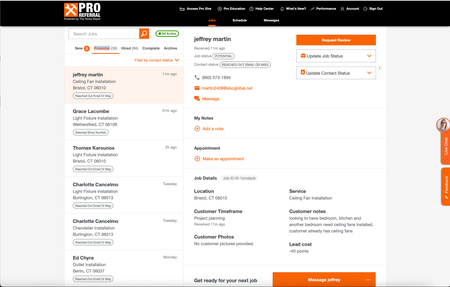
Good afternoon, I know a lot of contractors are listed for Home Depot Pro Referral - and I was wondering if Jobber has had the ability to directly integrate with them. Since using jobber, I have had my office manager transfer every contact over, one by one, because it didnt allow us to track stats/communication within home depots crm. So I was wondering what do you all use ? Or is it all manual for you too? If you want to check it out - here is the link Try Home Depot Pro327Views1like5Comments


If you have a specific question about your Jobber account, reach out to our Success Team directly:
➡️ [email protected]
➡️ 1-888-721-1115
➡️ via chat in your Jobber account
Tags
- integrations22 Topics
- software15 Topics
- quickbooks12 Topics
- zapier8 Topics
- construction5 Topics
- cleaning5 Topics
- work smarter5 Topics
- handyman5 Topics
- reporting & business insights5 Topics
- docusign4 Topics