Forum Widgets
Recent Discussions
Looking for Guidance: Good, Better, Best Quotes In Jobber
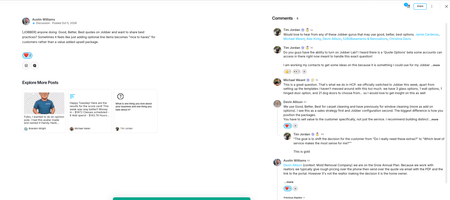
For those of us doing good, better, best quotes in Jobber, how are you setting them up to make them feel the most cohesive and communicate the added value? We are having this discussion in Service Catalyst, a highly accessible peer mentorship and education community for new and growing trade service business owners. We have quite a few Jobber users in there and we have not come to a concuss. I figured I would ask the expert here! Plus, my painting company that is on Jobber could use to better our G,B,B quote template.timjordanco3 hours agoContributor 296Views1like9Comments
How do you manage quotes that never get accepted?
Hey everyone! I'm curious how you handle quotes that customers never respond to. Does Jobber's built-in follow-up automation do enough to bring those customers back, or do you still have to manually track unanswered quotes and chase leads? What part of the process do you find most frustrating? I'd be interested to hear what's working for you and what could be improved.Lu-Delso6 hours agoContributor 244Views2likes5CommentsQuote Follow-Ups: How Much Is Too Much?
We’ve grown Hocus Pocus to a seven-figure cleaning company largely through organic leads, referrals, and word of mouth. As we’ve scaled, one thing I’ve realized is that generating leads is only half the battle. What happens after someone requests a quote is just as important. We’ve started utilizing Jobber’s automated quote follow-ups at 24 and 48 hours, but I’m considering expanding that sequence to capture prospects who may not be ready to make a decision immediately. Here’s where I’m torn: I want to make sure we’re following up consistently without making potential clients feel like we’re harassing them. 😂 I also think there’s a difference between genuinely helpful follow-up and repeatedly asking someone if they’re ready to book. For those utilizing Jobber’s automated quote follow-ups, what timing and frequency have you found most effective? Are you sticking with a couple of touchpoints, or have you developed a longer nurture sequence that’s actually improving conversions?roselvaggio18 hours agoVerified Community Coach41Views1like1CommentClient Communications
I would like to see space to log our own client communications - not in notes! For example, when we chase quote, we sometimes email but other times we call the client. Unfortunately there is no where to log that they were called including date and time unless i put it in the notes on the quote. Or the notes on client page, which then does not include the items sent via Jobber. It would be handy to have a communications area that we could add communications too that also included the quote number to so we could search and see only communications related to that particular quote. This feature would be particularly handy when dealing with property managers who have 10 sites in quote stage.JHTS6 days agoContributor 3314Views2likes5Comments
Change orders
How Can I and what's the best way to add a change order onto a current job without making a new quoteGloriousAir7 days agoContributor 31.2KViews4likes11CommentsAre You Pricing Jobs for Profit or Just to Win the Job?
Quoting can be one of the toughest parts of running a small business. It’s easy to lower your price to beat the competition, but that doesn’t always lead to a healthy business. A good quote should cover your time, materials, expenses, and the value you provide. The goal isn’t to get every job, it’s to get the right jobs that allow your business to grow. What’s one thing that helped you improve your quoting process?Solved431Views2likes7CommentsFEATURE REQUEST - How are products and services not able to be separated on the quote?
This would make everything so much easier when I place an order with my distributors. I can just screenshot the products, and get the order going. This has many other practical use cases beyond just screenshots. It would enable me the ability to not get price gouged on labor. It seems like this is such a simple change to implement on jobber, at least giving end users (like myself) the capability to separate them. Most importantly, it would make the quotes so much easier to understand.NextLevelAV2 months agoContributor 297Views1like2CommentsFEATURE REQUEST - Schedule sending a Quote/Invoice
As a small business owner, sometimes I get done creating a quote or invoice at inconvenient times, after reasonable times most people are in bed. When I wake up, I forget to send the invoice. It would be really great if I could automatically schedule a quote or invoice to send at a specific time, so clients aren't getting a text/email at 1:00am in the morning.NextLevelAV2 months agoContributor 283Views0likes1CommentCan I apply different GST and PST rates to individual line items in Jobber quotes?
Maybe this is just a regional issue, but in our area, we have provincial sales tax (PST) and federal sales tax (GST) and some items are subject to one and others are subject to both taxes. Is there a way to select the tax rate for each line item rather than for the entire quote? At this point the only work-around I have is to create 2 quotes for the same job with different tax rates so I can get the taxes right. It seems cumbersome and unprofessional. I've also tried calculating the tax(es) manually and entering it as a separate line item(s). But I don't like how this looks either and it is difficult if I want to make any changes. What other options are there?LukeSalmonArm2 months agoContributor 3273Views1like6Comments
Challenges Getting Accurate & Competitive Quotes — Anyone Else?
Hey everyone. Wanted to start a conversation around something I think a lot of us deal with daily. Getting quotes right is hard. Too high and you lose the job. Too low and you regret winning it. A few challenges I keep running into: Translating plans and site conditions into accurate material and labor costs Material prices changing between quote and job start Knowing what the market will bear in your area Finding customers who care about quality, not just the cheapest bid I've been using Jobber to streamline the quoting side. Building out templates, tracking job history to compare estimated vs. actual costs, and following up on open quotes automatically. It's helped, but the estimating accuracy piece still takes real discipline. Would love to hear from the community: What's your quoting process start to finish? How do you handle rising material costs in your pricing? Where are you finding your best customers? Any Jobber features that have helped you quote faster or more accurately? Drop your experience below — whether you've got it figured out or you're still grinding through it like the rest of us. 👇manassesservice2 months agoContributor 2256Views8likes6Comments



If you have a specific question about your Jobber account, reach out to our Success Team directly:
➡️ [email protected]
➡️ 1-888-721-1115
➡️ via chat in your Jobber account
Tags
- quote options12 Topics
- best quoting12 Topics
- work smarter11 Topics
- construction10 Topics
- general contracting10 Topics
- handyman7 Topics
- property maintenance7 Topics
- quote approvals7 Topics
- remodeling6 Topics
- landscaping5 Topics