Up Your Follow-Up Game & Win!
I hear a lot of business owners and leaders talking about "getting leads". Don't get me wrong, leads are important. However, what you do with those leads is more important. When you get a lead, how long does it take you to reach out and make contact? Did you know that your chances of closing that lead as a customer drop drastically if you do not make contact in the first minute or two, in many cases. Your customers are able to click and learn about your competitors very rapidly. If you are failing at "speed to lead", you are likely missing clients. How many times do you follow up? For how long? I suggest following up "until you get a solid yes or no". That lead is a client until they prove themselves otherwise. The only way you know they are not a client, is to hear that actually say "no, I am not interested". Until you get that no, they are still a potential yes. If it takes 10 follow-ups or a year, keep trying. You never know if that potential client has had a change in life condition that makes your services more or less relevant over time. Don't give up. Follow up on your leads. And don't just text ..... GET ON THE PHONE!337Views1like5Comments
Can I send a PDF newsletter to multiple clients through Jobber?
Is it possible to add a link to a file, like sending out newsletters? I have a PDF file i would like to drop inand send out to around 500 clients. Would really prefer to not have to do this individually. I am not seeing an attachment button56Views2likes1CommentWhat Automated Follow-Up Campaigns Should Home Service Contractors Set Up to Get More Repeat Business?
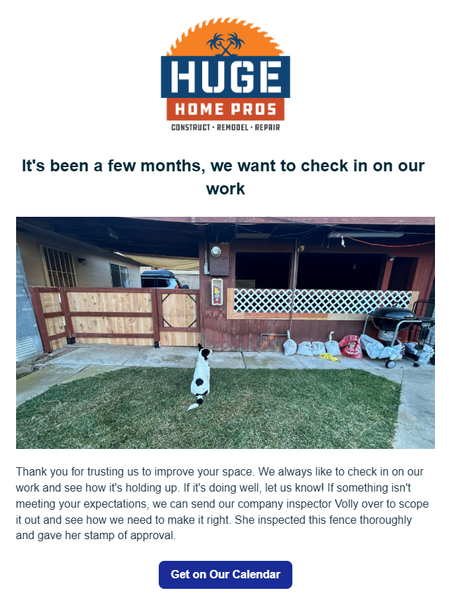
Hey guys! For those of you that have access to the marketing suite - there's a few things you can set up today, that will pay off as long you have it active. 1st - Check in on your work 2-3 months after it's done. This timeline is what I'm using for our type of projects so yours could be sooner. A lot of contractors will do a project then never reach out to the home owner again. I can't tell you how many jobs we've received just because we had this automation set up. In the settings you just set it up for XX amount of months after the invoice is paid. 2nd - Ask them for a referral. This isn't asking for a review. That's a given. But you want to be asking home owners if they have any friends that could use your services. Jobber actually has a referral tracking system integrated in it as well. I will say that people are a lot more motivation to refer when there's a benefit to them. Personally, I don't think it's valuable to just offer $$ off your own services. I think you need to give them something they can use anywhere. Just my opinion. Set this up for 1 week after your job is finished/ invoice paid. 3rd - Set up a 1-2 year sequence of emails. You could set one up for one a week. 2 a month. The main thing is you want to show up in their inbox every week. You know those brands that you are too lazy to unsubscribe to so you see them in your email? Ya, be more like them. This can take some time but start out by giving them a monthly email, then start to add to it. It can be the same nurture sequence for anyone that gets added. How do you not be annoying? Make it more about education than selling them a service. Have AI come up with something for your industry and just make some time every week to chip away at it. Over time this will pay off. And i's a set it and forget it type thing that can have a massive long term impact in your business.64Views2likes1Comment
How Do You Bulk Edit or Consolidate Lead Sources in Jobber?
I'm changing the lead source to consolidate door to door leads from per person to just Door to Door for my reporting. Jobber Ai says to go to each one to change it - duh, but I don't want to go through all my clients and find them. I tried both search bars when I'm on the client list, but neither is working. Any other tips - I'd love toSolved274Views0likes4Comments
How to Connect Jobber App to Account/Make.com
I am trying to send offline conversions and values from jobber to make.com which then sends to Google Ads. I am currently using Callrail to track form fills and phone calls and connected Jobber to callrail. I created a jobber app with a custom make.com webhook. Here is where I am stuck: I am looking to connect my jobber app to my jobber account. We are currently subscribed to the plan "Grow." I submitted the app for review but Support replied that I did not need to have it reviewed since its only internal for transferring customer info. Does anyone know how to a connect custom jobber app to their jobber account? Any insight would be greatly appreciated!213Views1like1Comment
Angi Ads Integration
Has anyone set up the API Integration with Angi Ads? I was provided the steps below but I'm unclear how to follow them properly and was wondering if anyone familiar with Jobber here would know and/or have had success. In order to set up your API Integration with Angi, you will need to have the following information gathered: Your account's Company ID. This is not always the same as your Service Provider ID that you see next to your company name in the Angi for Pros site. You can find your Company ID in the URL of your desktop Angi for Pros site, on the top right of your Angi Ads Agreement, labeled SPID, or by reaching out to us in chat. The email address you would like to connect to your CRM Your unique webhook URL (provided by your CRM contact) Authentication Type (key or no key) Data Format (most commonly JSON, but your CRM contact will know for sure) The Standard Lead API Requirements that will be needed for set up are shown here in more detail. Angi_Standard_Lead_API_Requirements1.pdf Once you have this information gathered, you can start the setup for your API Integration, using the steps below: Log into the Angi for Pros site on your desktop. Once logged in, open a new tab in your browser and type in the following URL: Note: The area where you see XXXXXX in the URL is where you will place your Company ID from the information gathered above. For example, if your account's Company ID is 123456, the URL should be -https://office.angi.com/app/webhooks/123456/leads/configure https://office.angi.com/app/webhooks/XXXXXX/leads/configure Once you've typed in that URL, you should see this screen, where you will click Get Started. From here, fill in the blanks on the Edit Configuration page with the information you gathered in the first section above, then click Next. Remember, you should still be logged into your Angi Ads Business Center during this setup process. Note: If your Authentication Type requires a key, a second drop-down will appear to ask you to type in the key. Please do not share this key in chat or via email, as it is a private security key for your company only. Now it is time to test your configuration. Click on Send Test Lead in the middle of the page. A blue box should appear at the top of your screen confirming that test lead was successfully sent to your URL. Once you receive the confirmation box, click Next at the bottom of the screen. If you do not receive the confirmation box below, please take a screenshot of the message you received for troubleshooting purposes and feel free to start a chat with us for assistance! You're almost done! Click the Save and Activate button at the bottom of the screen to complete the integration process. You're all finished, and your integration has been completed. From here you can close out of this tab. Your webhook will receive a copy of each new lead as it is generated! If you have more than one account that needs to be set up, just follow all of the steps again, making sure you are logged into the account you are setting up, and be sure to replace the Company ID in the URL in Step 2.85Views1like0Comments
Can we have a wix integration to gather more data
I feel like we should be able to integrate with other platforms like wix for example to gather our own website data and either send out email marketing campaigns that leads to our blogs or send clients to a part of a websiteSolved196Views1like1Comment
Referral Program/Auto Payments
We like the Referral Program but have one major issue: credits aren’t automatically applied to recurring clients. We have to apply them manually each time. We've given feedback to Jobber and hope they address this. If anyone else has noticed this, please reach out to Jobber; the more voices, the better chance of a solution.477Views3likes4Comments
Referral Feature - Choosing incentive structure
What incentive option are you all finding works best; percentage-based vs. set dollar amount? I'm curious about what others are doing to spread the word about this new referral system to existing clients and prospective clients (aside from the email campaigns within Jobber)1KViews6likes9Comments