Up Your Follow-Up Game & Win!
I hear a lot of business owners and leaders talking about "getting leads". Don't get me wrong, leads are important. However, what you do with those leads is more important. When you get a lead, how long does it take you to reach out and make contact? Did you know that your chances of closing that lead as a customer drop drastically if you do not make contact in the first minute or two, in many cases. Your customers are able to click and learn about your competitors very rapidly. If you are failing at "speed to lead", you are likely missing clients. How many times do you follow up? For how long? I suggest following up "until you get a solid yes or no". That lead is a client until they prove themselves otherwise. The only way you know they are not a client, is to hear that actually say "no, I am not interested". Until you get that no, they are still a potential yes. If it takes 10 follow-ups or a year, keep trying. You never know if that potential client has had a change in life condition that makes your services more or less relevant over time. Don't give up. Follow up on your leads. And don't just text ..... GET ON THE PHONE!297Views1like5CommentsWhat Automated Follow-Up Campaigns Should Home Service Contractors Set Up to Get More Repeat Business?
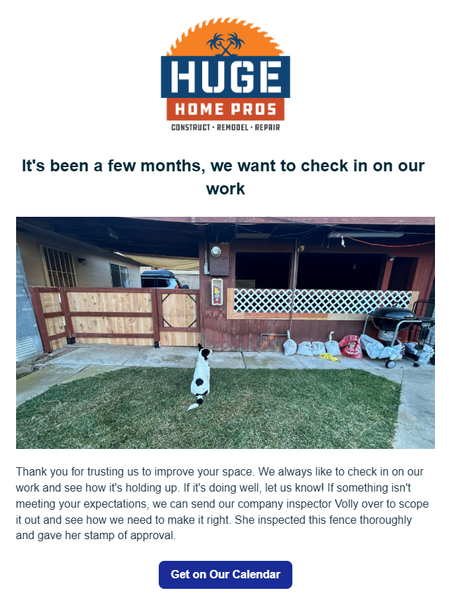
Hey guys! For those of you that have access to the marketing suite - there's a few things you can set up today, that will pay off as long you have it active. 1st - Check in on your work 2-3 months after it's done. This timeline is what I'm using for our type of projects so yours could be sooner. A lot of contractors will do a project then never reach out to the home owner again. I can't tell you how many jobs we've received just because we had this automation set up. In the settings you just set it up for XX amount of months after the invoice is paid. 2nd - Ask them for a referral. This isn't asking for a review. That's a given. But you want to be asking home owners if they have any friends that could use your services. Jobber actually has a referral tracking system integrated in it as well. I will say that people are a lot more motivation to refer when there's a benefit to them. Personally, I don't think it's valuable to just offer $$ off your own services. I think you need to give them something they can use anywhere. Just my opinion. Set this up for 1 week after your job is finished/ invoice paid. 3rd - Set up a 1-2 year sequence of emails. You could set one up for one a week. 2 a month. The main thing is you want to show up in their inbox every week. You know those brands that you are too lazy to unsubscribe to so you see them in your email? Ya, be more like them. This can take some time but start out by giving them a monthly email, then start to add to it. It can be the same nurture sequence for anyone that gets added. How do you not be annoying? Make it more about education than selling them a service. Have AI come up with something for your industry and just make some time every week to chip away at it. Over time this will pay off. And i's a set it and forget it type thing that can have a massive long term impact in your business.48Views2likes1CommentWhat is your favorite feature in Jobber? Why?
I'll go first. My favorite feature in Jobber is probably the new quote templates. This makes our selling process so much easier. It's also easier to train new sales people because we don't have to teach them how to write an entire quote. We can just teach them which template is best for the job, they are bidding.286Views3likes3Comments
How Do You Bulk Edit or Consolidate Lead Sources in Jobber?
I'm changing the lead source to consolidate door to door leads from per person to just Door to Door for my reporting. Jobber Ai says to go to each one to change it - duh, but I don't want to go through all my clients and find them. I tried both search bars when I'm on the client list, but neither is working. Any other tips - I'd love toSolved245Views0likes4Comments