How do I connect Jobber to ChatGPT or Claude?
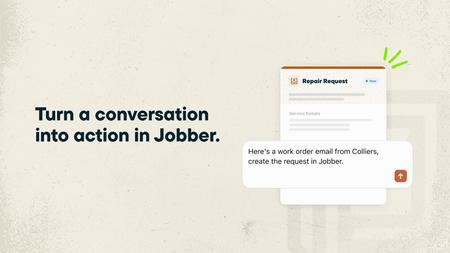
If you regularly use ChatGPT or Claude to help run your business, you can now make those conversations even more useful by connecting your Jobber account. With the ChatGPT Plugin and Claude Connector, powered by Model Context Protocol (MCP), ChatGPT and Claude can use information from your Jobber account alongside your other connected business tools. That means you can ask questions about your business, get answers based on your actual data, and even get things done in Jobber without jumping between apps. What you can do by connecting Jobber to ChatGPT and Claude: Get a head start on your day. Ask “What’s my schedule looking like today?” and get a rundown of your upcoming jobs and visits. See who’s behind on payments. Ask “Which invoices are still outstanding?” to quickly see what’s overdue and needs your attention. Keep quotes moving. Ask “Which quotes need a follow-up?” to find quotes that are still waiting for a response. Turn emails into requests. Got a new customer inquiry sitting in your inbox? Ask ChatGPT or Claude to create a client and request in Jobber using the details from that email. Spend less time building quotes. Ask ChatGPT or Claude to draft a quote from an existing request or for a new job. It’ll prepare the quote in Jobber for you to review before sending it to your customer. And you’re not limited to asking about Jobber! Since ChatGPT and Claude can connect to other business tools, you can bring information from across your business into one conversation.You don’t need to know anything about coding or AI to get started. Just ask questions the same way you’d ask someone on your team. Learn more and give it a try: 🔗 Connect Jobber to ChatGPT 🔗 Connect Jobber to Claude We’d love to hear how you’d use this! If you could ask ChatGPT or Claude to take one task off your plate, what would it be?54Views0likes0Comments
Where Can I Find Training Videos to Help Field Crews Learn Jobber's AI Voice Notes Feature?
So I am down here in Washington State we are a Electrical contracting company. I watched the Seminar yesterday morning. And was very excited. About some of the stuff that I could already do. And some of the stuff. That will be rolling out. I was showing some of my guys. The AI button so that they could add. Notes to the jobs. But we were having trouble with the function working. Is there a video on Youtube or something that we could watch? That would help us learn how to use it better. I am trying to use this program. For all of its benefits. So I really want to learn how to use. As much of it as I can. Also, the app on the phones is a little hard to use, especially for some of my guys who are not very tech savvy. And we are just now getting in. To the tech world. Is there somewhere I can go or have the guys go? Where they can watch videos to help them learn how to use it.123Views1like1CommentJobber Media Opportunity! Using Jobber AI and seeing real results? 👀 We want to feature you.
Jobber's marketing team is looking to connect with a few pros who are using Jobber’s AI tools. We’d love to chat if you: Have noticed measurable wins (more booked jobs, revenue growth, faster replies, fewer missed calls, etc.) Can speak to operational efficiency gains (e.g., handling more inquiries without hiring, delaying headcount, saving meaningful time each week) Feel like AI is giving you a competitive edge in your market Are comfortable sharing high-level numbers (percent growth, hours saved, call volume handled, etc.) Would be open to speaking with media if selected If that sounds like you, send me a DM, and I’ll connect you with our PR team. We’d love to help amplify your story!85Views0likes0Comments
Using AI and Voice to Capture Job Notes and Follow-Ups in Real Time
Hi everyone, I wanted to start a discussion around how home service teams capture job notes, follow-ups, and action items during busy workdays, especially while on-site, on calls, or moving between jobs in Jobber. In many service workflows, essential details come up verbally: - Notes after a customer conversation - Follow-ups discussed on the phone - Reminders during travel between jobs These often get entered into the system later, which can lead to missed context or extra admin work at the end of the day. One approach we’ve been exploring is using AI-powered voice input through tools like Gennie, where teams can speak notes or tasks and have them synced back into their existing systems while Jobber remains the system of record. I’m interested to hear from others here: - How do you currently capture job notes or follow-ups when typing isn’t convenient? - Do you update everything in real time or batch it later? - Would voice-based input be helpful in field operations, or does it create more overhead? Looking forward to learning how others approach AI and operations in real-world home service workflows.320Views0likes3CommentsJobber AI Quote... linked to ChatGPT?
Hi all, Recently I started using ChatGPT for help quoting irrigation installs. I was pretty blown away by how much it simplified the process, particularly sourcing parts prices - this usually takes me so long. Then it can format it into a spreadsheet so you can double check the workings. Well I'm just working on a new turf install quote and thought I'd use the AI Quote feature... it misunderstood the request and created the quote as an irrigation install, not a turf install. But that's not the weird bit... it pulled all the irrigation info from ChatGPT! Well, I'm assuming it did - because the text looks the same as what ChatGPT gave me recently. What's happening here? I'm not upset or anything, just trying to understand what happened because this has spun me out!274Views0likes1Comment