Can I send a PDF newsletter to multiple clients through Jobber?
Is it possible to add a link to a file, like sending out newsletters? I have a PDF file i would like to drop inand send out to around 500 clients. Would really prefer to not have to do this individually. I am not seeing an attachment button47Views2likes1Comment
How can Jobber help me grow my business?
I am a fairly new business and I am still finishing the detail of my operations. I have been using the basic plan from Jobber for my bookings but I did not find myself using the Marketing suite very much when I first purchased a plan. I believe it is because I was still figuring out how to run my business operations. My question is, what is the best marketing move for me to do as a relatively new business owner using Jobber with limited resources like funds and a small client base.322Views7likes9CommentsDoes Jobber Marketing Suite Generate Leads for Your Business?
We just started our property services business in May. We have been doing really well with referrals so far but I know that doesn't last forever. I have met with a few Instagram marketing companies here in Austin and we've been quote $12K - that's not a realistic number for a business in it's first year. I was wondering if anyone has any experience with the Jobber marketing suite and if so, were you able to generate leads? How did it help you generate leads? What other benefits did you see from having it? Thank you!282Views2likes8CommentsWhat marketing tool has given you the best return on investment?
Hi everyone! 👋 As a newer business owner, I'm trying to be intentional about where I invest my time and money. There are so many marketing tools available—from social media and Google Business Profile to vehicle wraps, yard signs, email marketing, referrals, and automation—that it can be hard to know what really works. If you could recommend just one marketing tool or strategy that has brought in the most customers for your business, what would it be and why? I'd love to hear what has worked for you and what you would recommend to someone just getting started. Thanks in advance for sharing your experience!273Views1like8CommentsWhat Automated Follow-Up Campaigns Should Home Service Contractors Set Up to Get More Repeat Business?
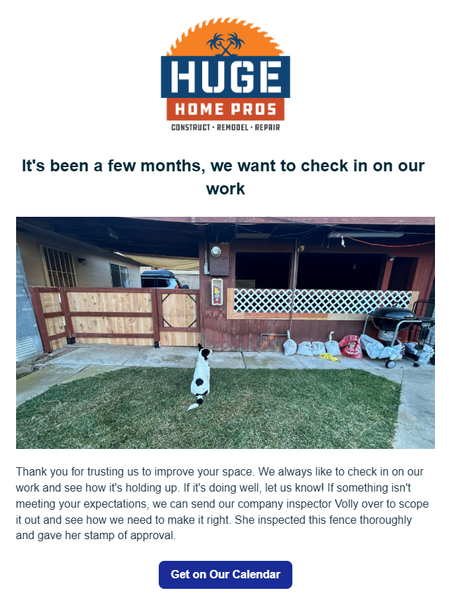
Hey guys! For those of you that have access to the marketing suite - there's a few things you can set up today, that will pay off as long you have it active. 1st - Check in on your work 2-3 months after it's done. This timeline is what I'm using for our type of projects so yours could be sooner. A lot of contractors will do a project then never reach out to the home owner again. I can't tell you how many jobs we've received just because we had this automation set up. In the settings you just set it up for XX amount of months after the invoice is paid. 2nd - Ask them for a referral. This isn't asking for a review. That's a given. But you want to be asking home owners if they have any friends that could use your services. Jobber actually has a referral tracking system integrated in it as well. I will say that people are a lot more motivation to refer when there's a benefit to them. Personally, I don't think it's valuable to just offer $$ off your own services. I think you need to give them something they can use anywhere. Just my opinion. Set this up for 1 week after your job is finished/ invoice paid. 3rd - Set up a 1-2 year sequence of emails. You could set one up for one a week. 2 a month. The main thing is you want to show up in their inbox every week. You know those brands that you are too lazy to unsubscribe to so you see them in your email? Ya, be more like them. This can take some time but start out by giving them a monthly email, then start to add to it. It can be the same nurture sequence for anyone that gets added. How do you not be annoying? Make it more about education than selling them a service. Have AI come up with something for your industry and just make some time every week to chip away at it. Over time this will pay off. And i's a set it and forget it type thing that can have a massive long term impact in your business.50Views2likes1CommentCampaigns Update
When making campaigns is there a way to build a campaign that spans multiple weeks and dates. As of now its just a bunch of emails which isn't bad. But if thats the case, it would be nice to have another column with the scheduled send date if applicable. and would be nice if we could name that particular email with the campaign name. Like right now im doing a push to capture returning customers. I have about 6-10 emails going out. But i have another which focuses on captureing christmas light customers into the mowing divsion. they are not the same emails and do have a different tone and focus. not a big deal but helps keep things organized.157Views0likes1Comment
How To Prevent New Client Requests from Being Mixed Into My Campaign List in Jobber?
When I build and distribute a campaign all my clients that were on the email list become newly updated and the persons that just sent a Request yesterday are integrated in the new mix and jumbled and forgotten. Is there a way to send a campaign and maintain everyone's date and order?139Views1like3CommentsJobber Campaigns Tips and Tricks
I love the Campaigns feature. I build a newsletter with it every month and I only sent it to clients to haven't booked with us for over 4 years at first, then each month I drop the months since serviced section down to raise the number of past clients reached. I do this so I don't overwhelm the phone lines, and eventually I will just have all the clients get it each month. I also tag my unsubscribe clients so they will never get a newsletter in the future, since right now each month is a one off campaign. I can adjust the filters to keep them out of the loop. I wish there was a way to add a gif file though. I add Before and After pics that I edit together on Canva, which is doing the trick for now to get the point across. One more tip that I've been playing with for my newsletters is using Dall.e on Chat GPT to create a header image that will be specific to our industry. I'd love to hear any other tips and tricks!636Views10likes10Comments
Automated Campaigns in HVAC
We'd like to start using the automated campaign feature to contact our clients when they're due for servicing, and I'm wondering if anyone has done this with their HVAC business so far and has some tips on how to set it up. Tags seem to be the best way to sort clients in Jobber but how do you tag or sort clients so the right clients are getting the right reminder at the right time? Thanks in advance!271Views3likes1Comment
How to use jobber marketing and send to emails not saved or leads
I am new to marketing and trying to reach out to local real estate companies all over the county and don't have them as current clients. I do have a few as leads from previous jobs but not sure how to send externally. Any ideas and help would be great. Thanks330Views2likes2Comments