🚨FEATURE REQUEST: Tiered Pricing on Products & Services 🚨
Hey Jobber Team and Fellow Pros, Let’s talk about a feature that could seriously boost close rates and make Jobber even more competitive for all of us who quote services, manage inventory, and work in price-sensitive markets. What we need: Tiered Pricing on Products and Services — customizable pricing where the unit cost automatically adjusts based on quantity ordered. Why this matters: We already price materials like mulch, sod, and stone this way in real life. It would speed up quoting, improve estimate accuracy, and help us win more jobs. It mirrors how customers expect to see pricing — more they buy, less they pay per unit. How it would work: Let users define pricing tiers for any product/service: 1–10 units = $10/unit 11–50 units = $8/unit 51+ units = $6/unit These price breaks should auto-calculate during estimate creation and carry through to invoicing. Why Jobber Should Care: Makes Jobber more competitive vs. other platforms offering advanced pricing features. Helps your users convert more jobs = more usage and more loyalty to Jobber. Reflects real-world pricing logic we already use outside the app. If you'd use this — drop a comment or like to help get this in front of Jobber’s dev team. Let’s get this done together!809Views7likes8Comments
Can AI create accurate inventories from photos or walkthroughs for estimates?
Anyone here using AI to build inventories from photos or on‑site for moving quotes? We’re a moving company looking to automate as much of the quote process as possible. Right now, we’re still doing a lot of manual inventory collection and data entry, and it’s slowing us down and leaving room for mistakes. I’m specifically interested in: AI tools that can take phone photos or short videos (or an on‑site walkthrough) and automatically create an itemized inventory we can use for estimates. Anything that can recognize furniture/boxes from images and turn that into quantities, cube/weight, or at least a structured checklist. Workflows where the customer does a virtual survey themselves and we just review and price it. Bonus points if it can be integrated within jobber If you’re doing this today, which software are you using, how accurate is it, and what does your workflow look like from first contact to approved quote? Any “don’t waste your time on this tool” stories are welcome too.205Views2likes1CommentWhat’s your best “DIY hack” you’ve used to run your business?
When I first started my business over 19 years ago, estimates meant pen, paper, and carbon copies—rip the top page for the customer, keep the yellow one for myself. That was just the way it was back then, and it worked. Trips to Staples were the norm! But as I think about it, over the years I’ve also come up with plenty of little “DIY hacks” to keep things running when resources were tight or when I didn’t have the systems I do now. Some of those scrappy fixes actually held up surprisingly well! I bet most of you have similar stories— What’s the best “DIY hack” you’ve used to run your business? Maybe it was how you scheduled jobs, tracked expenses, did marketing, or just stayed organized before you had tools like Jobber. Sometimes those old-school solutions are just as clever as the technology we use today. Can’t wait to hear yours!232Views2likes1CommentRemodelers - What Kind Of Job Take Off Form Do you use?
We've started doing a lot bigger jobs and I've typically been the one to walk the job with the lead for the job, then they take it from there. No drawings, no real written plans outside of the job scope in jobber and the daily notes and conversations we have. Luckily we have some really good guys but I'd like to make this easier for everyone. For those of you that do 2-4 weeks jobs (so not big enough to always involve official drawings), what strategy are you using to make sure everyone gets the details and follows what your vision for the project is?138Views2likes8CommentsAI Transcription Hack - use Plaud. Thank Me Later
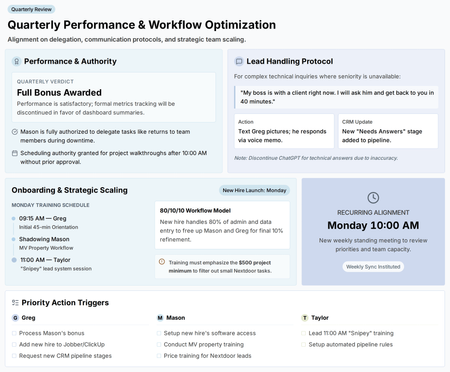
I've got to share this because it's genuinely changed how I run my day, and I think a lot of you dealing with client walkthroughs, team conversations, and constant mental juggling will get a lot out of it too. It's this little device, about the size of a credit card, that sticks on the back of your phone. It records and transcribes conversations, then hands you back a summary. There are a bunch of templates built in depending on what kind of conversation you're having. I originally picked it up to help with walkthroughs. If you're like me, people talk to you about so much stuff during a single job site visit that it's impossible to keep it all straight in your head. Now I've got it recording, and afterward I get a clean summary instead of trying to remember everything or scribble notes while I'm supposed to be paying attention to the person in front of me. Here's the part that's saved me more than once: when a client says "well, I said this" or "you told me that," I can actually go back to the AI summary and say, "here's what was actually said." No more he-said-she-said. It's all sitting right there. But the thing I'm most excited about is what it's done for GSR meetings — goal setting and review meetings. There was a recent Jobber podcast episode that got into these, and I liked the idea, but I had a mental block about actually doing them. I hate the idea of filling out extra spreadsheets and handing my team more stuff to track. It just becomes one more thing nobody keeps up with. So instead, I just run the meeting, let Plaud record it, and have it spit out a summary. That summary becomes my record. No spreadsheet, no separate tracking system, no extra homework for anyone. I just keep the summaries and refer back to them next time. If you're drowning in notes, or you've been putting off something like GSR meetings because of the extra admin, this might be the nudge you need. Worth checking out.78Views2likes2CommentsHow to start an in house training center for painting?
I am looking for feedback on starting a training center for residential painting. We have a shop but it is kind of small for what I am looking at doing. Is there any creative ways I could go about purchasing, or leasing a building that is specifically for training and education? My goal would be to hire on young men and women who are interested in the painting trade and have a facility to train them in before they every step foot on a job. For example, there would be a class room to learn about products and applications. Then there would be actually rooms built out and small exterior walls build out with different substrates to actually train applications. I would hire some of my current employees to be paid extra to run classes and training. What do you think? Am I dreaming too big or is this something I could accomplish? How could I go about making this happen?187Views1like2CommentsHow Do You Roll Back a Major Change?
Have you guys ever made a major organizational change then needed to go back? This last year I tried to help buy back some of my time and created a Project/ Operations manager position so I could focus on sales and marketing. It's been a bumpy road to say the least. I first tried to hire two guys from outside the organization, I really thought I did my due diligence but it didn't work out with either of those guys. One guy I learned after a week (lol) the other took me a month and a half. On our third guy, I promoted from within and it seemed like it was working but here we are almost two full quarters in and we have less capacity because I haven't been successful in finding a replacement for him in the field, and we are making less money on jobs because ... well it's a combination of things but he might not be a fit for the position. I'm thinking I need a more decentralized approach since essentially we are at the same revenue number as last year when we didn't have his big overhead position. So the question is - how do you roll that back? Is it possible to make a change like that without alienating the person I'm demoting? Would it be easier to demote if I'm citing financial and structural changes for the company? What's ya'll take on that.118Views1like3Comments