How to manage and optimize leads before they become paying customers?
I am looking to optimize leads, plan routes for the sales departments and optimize so staff is not zigzagging all over town. These are not visits as no jobs are created yet, these are leads. I want staff to hand out flyers, business cards, etc. Is there a way to manage and optimize routes from the client list, specifically for clients who have not converted from a lead to an actual yet? How are others managing this? My prospects are typically other businesses as we are a B2B operation.
How can Jobber help me grow my business?
I am a fairly new business and I am still finishing the detail of my operations. I have been using the basic plan from Jobber for my bookings but I did not find myself using the Marketing suite very much when I first purchased a plan. I believe it is because I was still figuring out how to run my business operations. My question is, what is the best marketing move for me to do as a relatively new business owner using Jobber with limited resources like funds and a small client base.322Views7likes9CommentsWhat Automated Follow-Up Campaigns Should Home Service Contractors Set Up to Get More Repeat Business?
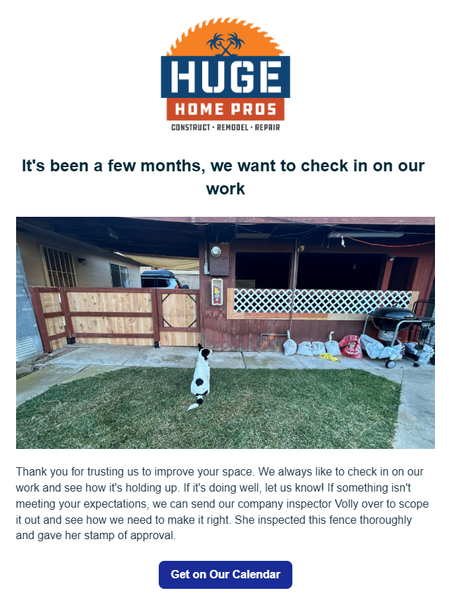
Hey guys! For those of you that have access to the marketing suite - there's a few things you can set up today, that will pay off as long you have it active. 1st - Check in on your work 2-3 months after it's done. This timeline is what I'm using for our type of projects so yours could be sooner. A lot of contractors will do a project then never reach out to the home owner again. I can't tell you how many jobs we've received just because we had this automation set up. In the settings you just set it up for XX amount of months after the invoice is paid. 2nd - Ask them for a referral. This isn't asking for a review. That's a given. But you want to be asking home owners if they have any friends that could use your services. Jobber actually has a referral tracking system integrated in it as well. I will say that people are a lot more motivation to refer when there's a benefit to them. Personally, I don't think it's valuable to just offer $$ off your own services. I think you need to give them something they can use anywhere. Just my opinion. Set this up for 1 week after your job is finished/ invoice paid. 3rd - Set up a 1-2 year sequence of emails. You could set one up for one a week. 2 a month. The main thing is you want to show up in their inbox every week. You know those brands that you are too lazy to unsubscribe to so you see them in your email? Ya, be more like them. This can take some time but start out by giving them a monthly email, then start to add to it. It can be the same nurture sequence for anyone that gets added. How do you not be annoying? Make it more about education than selling them a service. Have AI come up with something for your industry and just make some time every week to chip away at it. Over time this will pay off. And i's a set it and forget it type thing that can have a massive long term impact in your business.50Views2likes1CommentQuoting for contract cleaning for Apartment Complexes
I’m currently looking to expand into contract cleaning for apartment complexes and would love to hear how others in the industry approach pricing and structuring these types of agreements. I understand that apartment contracts can vary a lot depending on factors like unit size, condition, frequency of service, and whether it’s turnover cleans, common areas, or full-property maintenance. I want to make sure I’m pricing competitively while still protecting my time, labor, and overall business profitability. For those of you with experience in this area: How do you typically structure your pricing for apartment complexes (per unit, hourly, or flat contract rate)? Do you offer different pricing for standard turns vs. deep cleans or heavily soiled units? How do you account for things like pet hair, excessive buildup, or damages when quoting? Do you build long-term contracts with set pricing, or adjust pricing based on each unit’s condition? What’s your approach to quoting common areas like hallways, offices, or laundry rooms? Do you require walkthroughs before giving a final quote, or provide estimates upfront? How do you ensure you’re not underbidding larger contracts? I’m especially interested in learning how to balance competitive pricing with maintaining high-quality, detailed work—since we focus more on deep, time-intensive cleaning rather than quick surface-level jobs. Any advice, examples, or lessons learned would be greatly appreciated!146Views0likes1CommentHow do you use your services list to increase the value of every job?
I constantly go into my Products and Services page and update wording, add services, and just basic review. This is so important to me because the whole base of my business is to be full-service to my clients. If I see an issue while doing my inspection, I either propose to do it for them or have a small network of other service pros I can call to solve the problem. That is why my list of products and services is so important. I can pop that into a proposal and quote it in seconds, then present it to the client after the inspection and tell them everything we can do for them. It has been working out really really well and I do owe a lot of it to Jobber having this feature at my finger tips. Some calls double in value simply because I am presenting them to a client right then and there. It does take some time off the road to review and make sure everything is looking professional and accurate, but when that turns into revenue on the road I feel validated spending some time reviewing these details. Presenting them a professional and itemized proposal for everything I can do to help them is so so so handy for me. Does anyone else work like this? When add-ons can really start to add up value to a call? Did you spend time working on your lists to make them ready to go at each call?68Views2likes0Comments
Quotes can be the wrong tool. Estimates avoid disputes, protect margins, and elevate professionalism
Quotes and Estimates are fundamentally different, and not having both options is genuinely problematic for us. Fudging it by adding exception language to a document labeled as a Quote communicates that we aren’t committed to the quote, that we can’t accurately assess or execute our own services, and that we don't have the basic ability to simply send the correct type of sales form. Every workaround risks the sale and our professional image. How do you protect yourselves when a job clearly requires an Estimate instead of a Quote? Would having the option to create either a Quote or an Estimate, so you can send the correct sales document for each job, help you run your business more effectively? I believe some people are employing entirely different software for quotes and estimates. Considering that the ability to send an Estimate is a critical and basic business requirement, would it make sense for Jobber to add the simple option of changing the word "Quote" to "Estimate" when needed? They could still fall under the heading of "Quotes" in the UI, because only the word on the form being sent to the client, and the word used in the related message, needs to change. That's simply front-end work to implement and not a major feature update. The beauty of web-based applications is that it is programmatically easy to add simple functionality to expand the capabilities of basic features that affect nearly all users, requiring only a willingness to spend a little time improving the product's core functionality: helping us grow and manage our businesses.267Views3likes2Comments💡FEATURE REQUEST: Schedule Send Communications
When I’m ready to send an estimate or invoice, Jobber makes it easy to send directly to the customer. The issue is timing. I often finish admin work outside normal business hours because I’m in the field during the day. When I send estimates/invoices late at night, it can feel unprofessional (or at minimum, it triggers customer replies at weird times). Current workaround: I send the estimate/invoice to myself, then schedule send it to the customer later during business hours. Phones make this easy. It works, but it’s extra steps. Feature request: Add a “Schedule Send” option when sending estimates and invoices, similar to email scheduling. Ideal behavior: At send time, give options: Send now / Schedule send For schedule: choose date + time (and time zone handling) Queue it and show status like Scheduled / Sent / Failed Allow cancel/edit of scheduled sends This would save time, reduce mistakes, and keep customer communications going out at appropriate times without requiring a workaround.
New to Jobber, Quotes including pictures worth it?
Hey guys, I wanted to hear your thoughts on jobber quotes not including pictures for estimates in the core package? We are a full service property maintenance & Landscaping company. Anybody switch from core to grow because of it? We have a small team but growing. Last crm did have this feature on their middle plan and our clients loved it. It was extempore helpful to us as well. Was wondering if this is something we should switch to that would make a huge difference?266Views0likes2Comments
Jobber Roadmap
I didn't find a topic that I thought fit to post this so I figured I would try here since I want some Insight. I came here from Housecall Pro. One of the things they had that I loved as a published website roadmap. That way we could see what type of items the Devs had planned and were working on. Not everything had a timeline on release but it at least let us know the devs heard us and would eventually implement it. That helped us know to stop asking for the same features over and over again. It also showed what had already been pushed out. So if you missed the publishing, you could still see the updates and feature releases there. They also had a form for you to submit ideas and then people could upvote it. That let others know if we were having the same problem to collaborate on work arounds and solutions while also letting the developers know what items were most wanted by the most people. We would have the ability to do most of that here easily with a simple Topic of "Feature Requests". I'm sure I'm preaching to the Choir here when I say we are too busy to call the success line every time we wish Jobber had a feature.Solved285Views0likes2CommentsWhat is your favorite feature in Jobber? Why?
I'll go first. My favorite feature in Jobber is probably the new quote templates. This makes our selling process so much easier. It's also easier to train new sales people because we don't have to teach them how to write an entire quote. We can just teach them which template is best for the job, they are bidding.286Views3likes3Comments