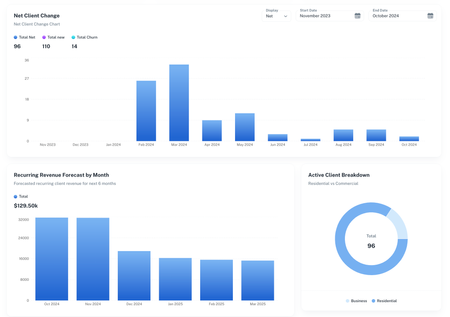
Recent DiscussionsMost RecentMost ViewedCrew Insight | New KPI Dashboard in Jobber app marketplace Hi All! I run a lawn care and gardening business and have struggled with getting all the KPIs I need from Jobber. I've had to spend many hours each month crunching numbers on spreadsheets that could have been spent growing my business. To solve this, I created a software platform that would pull in data from Jobber automatically and give me the numbers I need. Seems like KPI tracking is a common pain point amongst community members so I thought I’d create a post to start the conversation. What KPI’s are you obsessed with? What KPI’s feel hard to track? What metrics are you struggling to improve? If anyone is interested in the software, its called Crew Insight and we recently got it published to the Jobber marketplace so you can find it there or, at crew-insight.com. What are your favorite integrations in Jobber? How have they helped your business? OpenPhone Please! Hi! I understand that Jobber has a partnership with CallRail, but that system is a little too expensive for our smaller business, so we decided to go with OpenPhone since we just have one line and two employees that do all of our scheduling. Would love a native integration to OpenPhone so I don't have to keep paying for things like Zapier/Pebbly/etc. Business Phone Number - Who's Should You Use and How Should You Use it? When it comes to phone numbers, I treat the Jobber phone number as an “automation line,” not my primary business number. I use it for all the built-in Jobber automations—invoice/receipt texts, appointment reminders, “on my way” notifications, and anything else Jobber sends out automatically. It’s great for consistent system messaging and keeping those operational texts separate from my real day-to-day communication. The reason I don’t use the Jobber number as my main public-facing number (website, trucks, yard signs, etc.) is ownership and portability. The Jobber number can’t be ported out, so if you ever switch systems or change your setup, you don’t truly “own” that number long-term. I’ve made the mistake of putting a non-portable number on marketing before, and it’s a headache when you realize it can’t follow you. Instead, I recommend your primary business number be something you control and can port—either from a carrier, Google Voice (depending on your needs), or another platform where portability is confirmed. Then use tools like Chiirp (and I haven’t personally explored GoHighLevel/Hatch deeply, but they’re in the same category) for your primary communication + higher-level automation, because those platforms typically offer much more robust automation like out-of-office replies, drip campaigns, and automated texting workflows. So my personal setup philosophy is: Jobber number = system/operations messaging only; your “real” business number = portable, owned by you, and used everywhere customer-facing. Then if you need advanced automations like out-of-office replies, I’d build those in a dedicated communication/marketing platform that’s designed for it—not inside the Jobber number. Xero/Jobber Integration Issues Hey all! We were quite excited when the XERO / Jobber invoice integration was introduced. However, we have experienced a few issues, the most recent of which has created a rather large problem. It appears that the integration has gone backwards and pushed through doubles of HEAPS of invoices, even those that have been closed or untouched for some time. Needless to say, this has posed a reconciliation nightmare and to add insult to injury, Jobber Support has pointed to the developer who has pointed us back to Jobber who has pointed to Xero Support. Has anybody else experienced this or other issues with this integration? Quickbooks Sync Issues Has anyone else had a problem with their being an Unapplied Cash Payment account Quickbooks Account? I do not want the account on my P & L but it automatically shows up when syncing to jobber. Any integrations that add internal notes? In an attempt to streamline most of our client data into Jobber while keeping it organizied, we use a series of internal notes to track communication, scheduling, crew notes, etc. Has anyone found any of the integrations that are able to add a note when certain actions happens. Or even add to a note when something happens. Example: each time a new client is created, a series of notes are added with specific text, one for "OFFICE NOTES", one for "SALES REP NOTES", one for "SCHEDULING NOTES" Pulling Job Internal Notes with Zapier Hi y'all, I'm working with a client of mine that uses Jobber and has used them for years, but I'm fairly new to the platform. I work in digital marketing and I'm working on creating a new tool for them. In order for the tool to work, I'm first just trying to export specific data from Jobs into a Google Sheet. I've been able to export everything I need except "internal notes". I can't seem to find that field to map to anywhere. Is it labeled something else or just not there? Ultimately I need the pics from the project and my client uploads them to that field. Open to ideas or suggestions and happy to expand on what I'm working on if anyone is curious. Thanks in advance! Matt SolvedHow Zapier and Jobber Integrations Can Make Your Life Easier Saving time and cutting down on mistakes is key in our business. I’ve been using Zapier to connect Jobber with tools like Google Sheets, Jotform, and WordPress. This setup has automated a lot of the repetitive tasks and keeps everything running smoothly. Let’s compare notes on the tools and workflows that are making our jobs easier. What about you? How are you using Zapier or other integrations with Jobber to streamline your business? What automations have made the biggest difference for you? Quickbooks vs Xero! Which have you guys found is easier to sync with jobber? quickbooks, or Xero? I tried syncing my account with Quickbooks, but I had $40k worth of undistributed funds, and would have to go through about 1,000 invoices individually to fix. called Jobber, they said its was quickbooks fault, and quickbooks said it was jobbers fault. I hate that there isn't someone from both ends that will hop on a call with you! Will most likely switch to Xero, what's been your guys experience with them?
If you have a specific question about your Jobber account, reach out to our Success Team directly: ➡️ support@getjobber.com➡️ 1-888-721-1115➡️ via chat in your Jobber account
Tagsintegrations20 Topicssoftware14 Topicsquickbooks12 Topicszapier7 Topicsconstruction5 Topicscleaning5 Topicsdocusign4 Topicsproperty maintenance4 Topicshandyman4 Topicslead gen4 Topics