How do you manage quotes that never get accepted?
Hey everyone! I'm curious how you handle quotes that customers never respond to. Does Jobber's built-in follow-up automation do enough to bring those customers back, or do you still have to manually track unanswered quotes and chase leads? What part of the process do you find most frustrating? I'd be interested to hear what's working for you and what could be improved.49Views2likes5CommentsHow Do I Build a Custom Report in Jobber Without Hiring Someone or Using Spreadsheets?
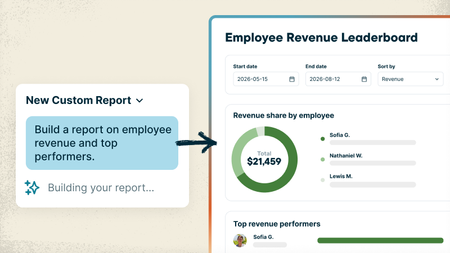
Every service business tracks things a little differently, and sometimes the answer you need is spread across different places in Jobber. Maybe you want to see which customers haven’t booked again this year, which neighborhoods bring in the most recurring revenue, or which jobs ran over their estimated hours. Getting answers that specific usually means exporting reports, digging through spreadsheets, or paying someone to build the report for you. With the new Custom Report Builder, you just type what you want to see and Jobber AI builds the report from your real numbers, with charts included if you want them. And unlike the standard reports, which only look at one area at a time, a custom report can pull data from across Jobber into one place: quotes, jobs, invoices, timesheets and more. What that looks like: Ask it like you'd ask your office manager. Something like "Show me revenue and labor hours by job type for the last 6 months" or "Which clients bring in the most revenue compared to the hours we spend on their jobs?" Need a change? Just say so. "Add a column for profit," "only show the previous 3 months." It updates and saves the report for you. Pulls from everything from across Jobber. Data from quotes, jobs, invoices, timesheets and more can live together in one report, so you can see the bigger picture without jumping from one report to the other. That's something the standard reports can't do. Save it and check back anytime. Reports live on your Custom Reports page and refresh with your latest numbers. Your team's permissions stay the same, so nobody sees what they shouldn't. Custom Reports are available on the Plus plan 🏗️ Build your first custom report 📖 Learn more 🎥 Watch it in the Jobber Now announcement What's the first report you'd build? Post your prompt below. Might give someone else a good idea!85Views0likes2CommentsHow Do I Automatically Log My Expenses in Jobber?
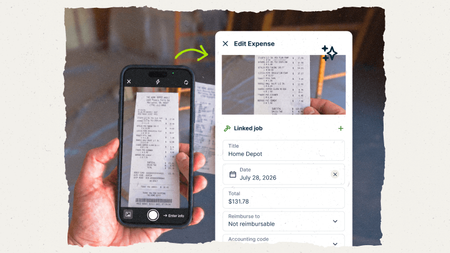
Keeping up with material costs can be a pain. Receipts get left in the truck, supplier invoices pile up in your inbox, and by the time you’re checking job costs, you’re trying to remember what went where. Jobber now gives you two ways to get those expenses in without typing everything out yourself. It pulls in the details, helps get costs onto the right job, and keeps your job costing up to date. (If you use Jobber Bookkeeping, those expenses flow into your books too!) Snap a pic of the receipt Your guys grab materials at the store, take a photo of the receipt in the Jobber app, done. Jobber reads it and creates an expense entry complete with all the details filled in for you. You or an admin give it a quick look and attach it to the job. Your most recent active jobs show up first, so it's quick to find the right one. It tracks who made the purchase, so dealing with reimbursement is easy. 📖 Learn more about Receipt Capture Add supplier invoices to Jobber You can get supplier invoices into Jobber in two ways: Upload or drag and drop them into Jobber: great for bulk uploads. If a PDF contains multiple invoices, Jobber separates them for you. Send them by email by forwarding them yourself, setting up auto-forwarding, or giving suppliers and subcontractors your unique Jobber email address Once the invoice is in Jobber, it reads the details and creates the expense for you. If it finds a matching job number, it links the cost to that job automatically. If not, you can quickly match it during review. 💡Pro tip: When you send a purchase order to a supplier, use the Jobber job number as the PO number. That PO number can carry through to the invoice, helping Jobber match the expense to the right job automatically. 📤 Upload invoices ✉️ Set up email forwarding 📖 Learn more about Supplier Invoice Scanning Receipt Capture and Supplier Invoice Scanning are available on the Plus plan 🎥 Watch it in the Jobber Now announcement How are you keeping track of material costs right now? Curious what's working for you folks!11Views0likes0Comments
Would you pay $25/mo for job profit reports without upgrading your plan?
Hi all, I keep seeing the same thing in here and in reviews: owners on Core and Connect want to know which jobs and clients actually make money, what's booked for next week in dollars, and what got cancelled. Right now that means upgrading to Grow or Plus, or exporting to Excel or Power BI and cleaning the data every week. I'm a developer thinking of building a small add-on that connects to Jobber (read-only) and gives you: - Profit per job and per client (revenue minus labour, materials and expenses) - Projected revenue per day and week - A report of cancelled and unscheduled work and what it was worth - A Monday email with last week's numbers and who's overdue It would work on every plan for about $25/month. Before I build it, I want to know if it's worth it to you. If it is, add your email here: https://tally.so/r/RGXo49. The first 20 businesses get it free for 3 months in exchange for feedback. And if you'd tell me what report you'd want first, reply below. I read every one. Not affiliated with Jobber, just trying to build something useful. Ben Humphries60Views0likes2CommentsAre You Pricing Jobs for Profit or Just to Win the Job?
Quoting can be one of the toughest parts of running a small business. It’s easy to lower your price to beat the competition, but that doesn’t always lead to a healthy business. A good quote should cover your time, materials, expenses, and the value you provide. The goal isn’t to get every job, it’s to get the right jobs that allow your business to grow. What’s one thing that helped you improve your quoting process?Solved431Views2likes7CommentsWelcome to the Community! Hi team What’s Your Business Journey? 👋
Whether you’re brand new to Jobber, just starting your business, or have been running a successful company for years we’d love to hear your story! Introduce yourself: What type of business do you run? How long have you been in business? What’s one goal you’re working toward this year? What’s one thing you’ve learned that could help another business owner? This community is full of people at different stages, and everyone has something valuable to share. Let’s connect, learn from each other, and grow together!Solved132Views2likes3CommentsTutorial: How to Set Up Re-Occurring Jobs in Jobber
Hey Guys It took me a while to set up a reoccurring job correctly - so I made a video on how you do it! From the quote to how you set the job up so they get billed automatically. Here is the loom video going over the process. How to Set Up Recurring Jobs in Jobber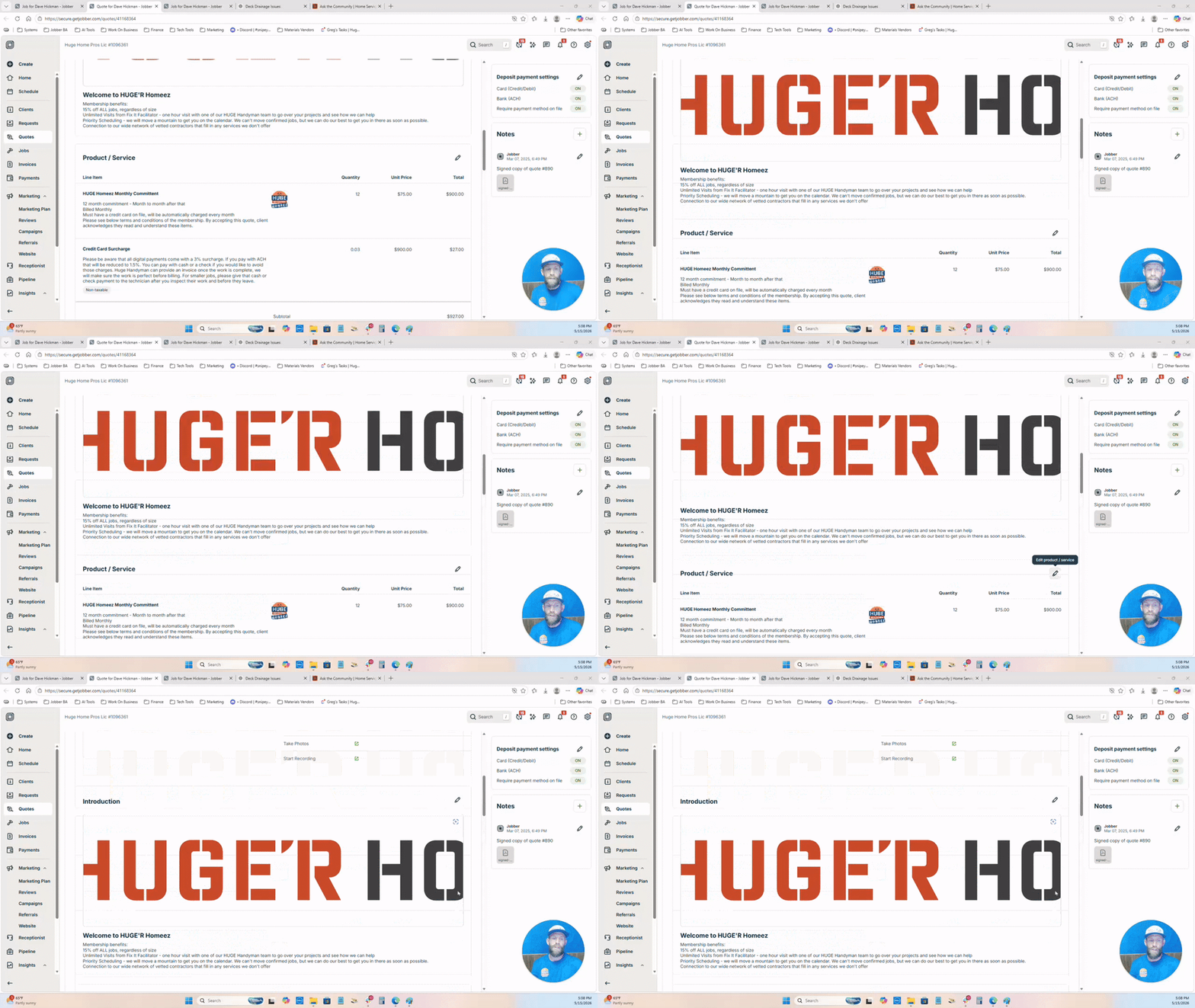 270Views2likes1Comment
Quoting for contract cleaning for Apartment Complexes
I’m currently looking to expand into contract cleaning for apartment complexes and would love to hear how others in the industry approach pricing and structuring these types of agreements. I understand that apartment contracts can vary a lot depending on factors like unit size, condition, frequency of service, and whether it’s turnover cleans, common areas, or full-property maintenance. I want to make sure I’m pricing competitively while still protecting my time, labor, and overall business profitability. For those of you with experience in this area: How do you typically structure your pricing for apartment complexes (per unit, hourly, or flat contract rate)? Do you offer different pricing for standard turns vs. deep cleans or heavily soiled units? How do you account for things like pet hair, excessive buildup, or damages when quoting? Do you build long-term contracts with set pricing, or adjust pricing based on each unit’s condition? What’s your approach to quoting common areas like hallways, offices, or laundry rooms? Do you require walkthroughs before giving a final quote, or provide estimates upfront? How do you ensure you’re not underbidding larger contracts? I’m especially interested in learning how to balance competitive pricing with maintaining high-quality, detailed work—since we focus more on deep, time-intensive cleaning rather than quick surface-level jobs. Any advice, examples, or lessons learned would be greatly appreciated!172Views0likes1Comment
Jobber jobs to QBO projects integration
Has anyone tried to extend the QBO Jobber integration to link a Jobber Job with a QBO project? We are an electrical contractor and have numerous suppliers and many components we use. All of them are entered into QBO. Our field team uses Jobber. I want to use the QBO projects to track project profitability. Which means three enhancements are needed: 1 - Jobber Job creation triggers a QBO project for the same customer. 2 - Time sheets from Jobber need to be updated to tag the customer and Job in QBO 3 - invoices would need to also be linked to from project to job. The job numbers in jobber could be used in QBO to create the linkage e.g. they can be used in the project name.616Views5likes8Comments
New to Jobber, Quotes including pictures worth it?
Hey guys, I wanted to hear your thoughts on jobber quotes not including pictures for estimates in the core package? We are a full service property maintenance & Landscaping company. Anybody switch from core to grow because of it? We have a small team but growing. Last crm did have this feature on their middle plan and our clients loved it. It was extempore helpful to us as well. Was wondering if this is something we should switch to that would make a huge difference?284Views0likes2Comments