Jobber users how are you handling new requests that don't respond after the first contact?
Do you leave them sitting in New until they respond, archive them, or have some kind of process for keeping the request list clean? I'm curious how other service businesses are handling this, especially when you have a lot of incoming requests. What does your process look like?28Views0likes2CommentsAre You Pricing Jobs for Profit or Just to Win the Job?
Quoting can be one of the toughest parts of running a small business. It’s easy to lower your price to beat the competition, but that doesn’t always lead to a healthy business. A good quote should cover your time, materials, expenses, and the value you provide. The goal isn’t to get every job, it’s to get the right jobs that allow your business to grow. What’s one thing that helped you improve your quoting process?Solved348Views2likes7CommentsHome Depot Pro Referral Integration ?
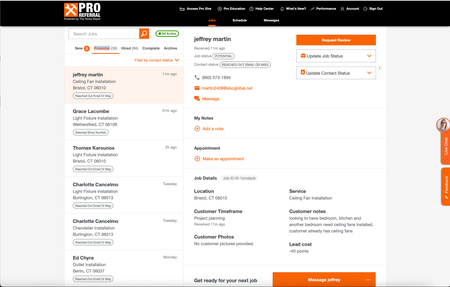
Good afternoon, I know a lot of contractors are listed for Home Depot Pro Referral - and I was wondering if Jobber has had the ability to directly integrate with them. Since using jobber, I have had my office manager transfer every contact over, one by one, because it didnt allow us to track stats/communication within home depots crm. So I was wondering what do you all use ? Or is it all manual for you too? If you want to check it out - here is the link Try Home Depot Pro286Views1like5CommentsWhat marketing tool has given you the best return on investment?
Hi everyone! 👋 As a newer business owner, I'm trying to be intentional about where I invest my time and money. There are so many marketing tools available—from social media and Google Business Profile to vehicle wraps, yard signs, email marketing, referrals, and automation—that it can be hard to know what really works. If you could recommend just one marketing tool or strategy that has brought in the most customers for your business, what would it be and why? I'd love to hear what has worked for you and what you would recommend to someone just getting started. Thanks in advance for sharing your experience!249Views1like8Comments
Job Forms (Checklists) Not Good Enough For Tracking Job Status
Jobber advertises being able to track the progress/completion of Jobs using the Forms (checklist) function. Where it is attached to the Job when creating it. But it seems very deficient and does not really work as advertised or implied. If you have multiple visits or follow-ups to a Job, especially if its because something wasn't complete on an initial visit, that the checklist form wouldn't have been completed... but when you schedule a new visit for crew to go back to that Job to complete the prior visit, you are presented with a whole new Form attached to that visit... the form is blank. Filling out a whole new version of the same form already partially filled out makes no sense to me, we would want the Form/Checklist to show the items that were already completed. Then we easily know what we have left to do on this follow-up visit. And, the only place to view the Job Form status info is either directly in the form, or in Reports. Reports is a great view, and feels like actual Project Management, you can view the status of the Job essentially based on Form data... but again, you end up with multiples of the same form showing up on that screen, one for every time there is a new visit. This makes that view messy, hard to track the true status, making the Report faulty data, and again makes no sense. This in no way is a Job form to me, its a Visit form. And that is NOT the same thing. All of this data input across all Forms should be collective, and ideally we should see the Completion Status of that form on the JOB level view and pop-ups, this would give all users the ability to see the status of the Job and whats left to do at a glance. In short, you should only ever have 1 instance of the specific Form, or Forms, associated with the Job (or atleast the option to make it so) and it follows every subsequent visit showing the prior checked off items. We often have multiple checklists associated with a single Job, as each form is needed for 1 of multiple phases of that Job, which is completed over months. We are already lacking 'Project' level management for handling large multi-phase Jobs, if the Forms function was linked properly it would make it feel less lacking overall, as these Forms could act more like project management and status tracking. Or, am I missing something? Or could we get tight integration with an App/3rd Party service that could fill that Project Management gap?Solved384Views3likes3Comments
Section for Vendors or Subs
Please help develop a functions to add 3rd party vendors/subs that may be used as needed or 1-time. The primary point would be contact and database of vendors with info and docs needed for our team to access if needed as well as would be nice for them to have scheduling, invoicing with pics and job tracking capabilities.105Views2likes1Comment
How to fix GPS tracking issues in the Jobber app?
I am struggling with the GPS function I went through all of my workers phones and made sure that they are set up correctly. Sometimes they work some what right and sometimes they don't work at all. Every now and then they work completely correctly. Does anyone have any ideas on how to fix this or is anyone else having this problem? ThreeRElectrical297Views2likes3Comments
Jobber jobs to QBO projects integration
Has anyone tried to extend the QBO Jobber integration to link a Jobber Job with a QBO project? We are an electrical contractor and have numerous suppliers and many components we use. All of them are entered into QBO. Our field team uses Jobber. I want to use the QBO projects to track project profitability. Which means three enhancements are needed: 1 - Jobber Job creation triggers a QBO project for the same customer. 2 - Time sheets from Jobber need to be updated to tag the customer and Job in QBO 3 - invoices would need to also be linked to from project to job. The job numbers in jobber could be used in QBO to create the linkage e.g. they can be used in the project name.560Views5likes8CommentsHow to change the quantity of optional line items in a Jobber quote?
On the optional line items is there any way to make them so that the customer can change quantity. So for instance we are a electrical contractor and as an option they could add dimmers but that is something they would pick the quantity to so like I would put qty. as 1 and they could change it.229Views0likes2CommentsHow to back up job photos and files from Jobber?
Hey all, just wondering if this is something others have run into. A few of our clients have been talking about how they handle long-term storage of job photos and documents, especially when staff leave, or when they want to organize files outside of Jobber. Some mentioned wanting to move things to Google Drive or DropBox automatically, but I’m not sure how common that need really is. Just curious, have you or your team thought about this? Is keeping a backup of Jobber media files part of your process, or not really a concern? Appreciate any thoughts! Josh428Views0likes2Comments