Weather Widget 🌞🌧️❄️🔥
Is it possible to integrate Jobber with a weather app? On the dashboard, we were thinking a 7-day forecast could be visible. Also, I thought a small temperature reading on the monthly calendar would be visible. We also thought the weather for the day could be captured and saved as an internal note for the job.Solved484Views5likes10CommentsHow to Win the Job When You’re Not the Cheapest Bid
Have you lost a job recently to a lower bid, even though you were confident your price was fair for the scope? Same story I hear a lot from contractors we work with. Homeowners rarely have a real way to compare the quality of two bids. They can only compare the number. So when price is the only variable they can see, price is what they use to decide. The fix isn't to always be the cheapest bid. It's giving the homeowner something else to compare, and that something else usually comes down to a few concrete things they can actually see and weigh against price: How clearly you explain what's actually included in the price and what isn't? Whether you walk them through your process instead of just handing over a total Proof that other people had a good experience with you (e.g., reviews, before and afters, past jobs in the neighborhood) What happens if something goes wrong after the job is done? None of these replace a fair price. But when a homeowner can see the difference between two contractors, price stops being the only thing they have to go on. What's worked for you when you weren't the lowest number on the page?35Views0likes4CommentsHow Fast Do You Pick Up a Phone Call or Call Someone Back After a Missed Call?
Curious how everyone here handles this, because a new Jobber survey of recent homebuyers turned up a stat that stuck with me: 15% had to follow up repeatedly just to get a response from a contractor 9% never heard back at all Losing potential business due to something that is not a pricing problem or a skill problem should be a wake up call. In a world where 75% of new homeowners hire a pro within their first two years of buying, being the one who calls back first might be the easiest job you win all week! So, what's your business standard? Do you answer within a certain time frame or let it go to voicemail and call back same day? Are there systems set up so nothing slips through the cracks? 👉 Recent Homebuyer Report: It's got homeowner quotes on what made them trust (or ditch) a contractor, plus a breakdown of how each generation actually finds a pro.240Views2likes8CommentsWhat marketing channel works best for you right now???
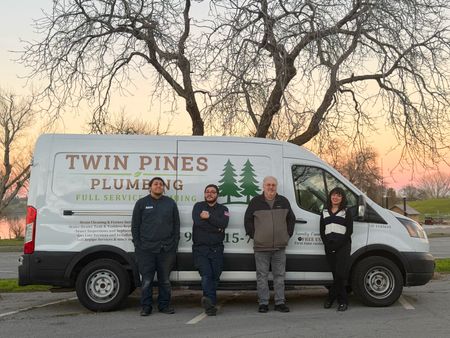
Hello, We are currently evaluating our marketing strategy to improve lead consistency and build deeper community trust. While we currently use Yelp, we find the results inconsistent and often attract price-shoppers rather than long-term clients. :( Moving forward, I would like to pivot our focus toward community-based marketing, such as sponsoring local schools and Little League teams. These sponsorships build the kind of long-term goodwill and trust that ensures local homeowners think of us first during emergencies. To clarify our strategy, we are avoiding the following channels: - Lead Aggregators (Angi, Networx, HomeAdvisor): These platforms sell the same lead to multiple contractors. The requirement to respond within seconds to avoid losing the job—while still being charged—does not align with our workflow. - Yelp for Major Projects: Due to high cost-per-click metrics and a high volume of price-sensitive inquiries, we find this to be a low-return channel for larger plumbing jobs. Your Friendly Neighborhood Plumbers,331Views3likes15Comments
Setting up a "Recurring Job" with a warranty package in Jobber?
Hello, I'm new to the Recurring Visits in Jobber/ongoing billing. Essentially, I created an ongoing, yearly maintenance package for my carpet cleaning clients. It includes a full carpet cleaning and a 12 month warranty package on the areas that were cleaned. They will be signing up knowing it is a recurring package with auto-renewal. Meaning 12 months later, their card gets charged again and they receive their full maintenance clean plus another 12 months of spot cleanings. This package is still in phase 1 but I'm hoping for two main things : Create an invoice upon the initial clean and receive payment up front for the year (it is listed this way on the jobber quote. The ability to auto renew the package (automatically receive payment and re-book a full service job 1 year after the initial clean. Bonus: Be able to create additional visits for the spot treatments within the 1 year recurring job. This will help to track the time on site and gross margin for the entire package, not just the initial clean. I'm sure I won't be able to hit all of these marks but I would love to hear from those using yearly recurring visits or warranty programs within jobber.131Views2likes3CommentsStrategies / Suggestions for hiring manual labourer for a niche Biz.
Fitness Equipment Service Technician - Rock & A Hard Place 26 yrs at this and I cannot find my A-Player. Sorry, this is quite the essay from the heart of frustration, so if you make it to the end and have some valuable suggestions I can implement, beers are on me at this conference. 🍻🍻🍻 It’s been beyond frustrating with people lying on resumes until you see they can’t do what they say. OR They can’t follow the simplest of instructions and policies like... If ever unsure about what you're doing or need help of any sort, contact me, I’m ALWAYS available. Then they decide to go Cowboy and try to figure it out themselves, which I certainly encourage as that's how I learn best. Trial and error where just getting your hands in there, coupled with some well-lubricated gray matter, and things start coming together and making sense. But not to the point of adding additional unnecessary "HRS" not MIN, to an invoice I can’t charge for, but they expect to be paid. In my instructions, I let them know, even when right beside them during training, if they get stumped on an issue and they ask for advice, I tell them to run through some process of elimination and try to figure it out themselves without me constantly telling them. I'll let them go for 10 to 15 minutes, and if the lightbulb isn't flickering, then I'll methodically walk them through what I would do. This way I'm not just jumping in and doing it for them, but they're actually learning hands-on. It's when they decide to go cowboy rogue and spend way too much time trying to figure it out instead of calling me, then they expect to be paid for these hours I can't bill back to the customer. How do I tell my customer that we're overcharging them because my guy doesn't know what he's doing and wants to learn on their equipment Then he'll make a note of whatever the issue is and what their diagnosis is, which can include needing to order parts. I'm thinking that they didn't have an issue with the diagnosis and it was a cut-and-dry scenario and, hands-down, this is what the customer needs. Then we'll order wrong parts... not only costing money—which will be either out of my pocket or the customer's pocket upfront if the quote is over $1,000—we have to wait usually about a week for parts to come in, set up another appointment, and head back out to the location to rectify the situation. - Part gets installed, doesn't fix the issue, and we're back to square one. Tech expects to be paid for travel & time for his mistake. So I put in the contract that I backpay my techs by two weeks with the clause that this will cover any potential damage to customer property due to their negligence. Residential customers get invoiced and are expected to pay more or less immediately, and commercial customers are net 30 for the most part in a perfect world. So it kind of evens out to cover their pay if something were to happen. So what do I tell my customers now? "Sorry, my guy effed up. Now I have to go out there and diagnose it properly, and if you're lucky—which happens more times than not—it's just a matter of some adjustments that need to be made, and no part was needed after all." But the other side of that coin is a part is actually needed, so we have to run through the process again and face another week's delay. Then I feel in good conscience that I need to discount my customer and hope this hiccup isn't enough to lose them and they're gracious enough to understand. OR Lack of communication in general. I can't stress enough and tell them it’ll make us or break us if honesty and just pure, actual communication isn’t kept up. I make it very clear that if they're not happy with how things are going, my door is open and I am more than happy to discuss what's going on so that we can make an adjustment that works for both of us. 'Cause if I don't know, I don't know. And that goes two ways. I let them know I'll do the same for them. So it boils down to the fact that if they can't do it right, I might as well do it myself? PSA - common sense is not so common. LOL I refuse to drop my standards as we do charge a premium, and I would consider us to be a "boutique" service company as we have—or I should say I have—an incredible track record and can probably still count on one hand how many callbacks I've ever had. Even though we are the highest-charging company locally, if not regionally, I make sure that I add enough value to the customer so that they know they got their money's worth and then some. So how do I justify that when I have subpar techs going out and serving these customers with guarantees that I've made that don't get fulfilled? I tried doing the employee thing once and that was an absolute nightmare, so I only look for contractors now. I'm willing to pay good money for somebody who can prove themselves to me. If they have the drive and are willing to learn and be moldable, then they can increase their pay in a short amount of time. !!!!! So you can only imagine, after 26 years of working on the tools and without seeing any hope of getting off the truck in the near future, my drive, my mental, and my physical well-being are being stressed to the max! I even had a scare of a panic attack, so I was told. That kind of shit just is not in my vocabulary or in my DNA, but I was getting signs that were pointing towards a heart attack that did put me in a hospital for a day, but I checked out just fine. SO... FWD to today, things have gone from bad to worse. Financially, I can't even hire anybody in order to pay them as I can't even bring in enough to cover our own payroll, yet the hours that I work, no sane human should have to be exposed to. No word of a lie, I'm on the tools all day, usually starting at about 9–10 AM. I get home around 7–10 PM, just in time to kiss my favorite wife, give my teenage son a hug as he goes to bed, and then I'm on the computer catching up on the office work from the day and days past until usually around 5 AM seems to be the new norm. Up at about 8 AM—rinse and repeat my Groundhog Days. My loans & CCs are all maxed out constantly, and I just have no idea what happened to this dream drive I had to be the best in the industry and to truly make a change and grow this company to the vision I once had. UGH. I probably shouldn't even be coming to this event, but IDK, maybe there's something here that's going to allow for some transformation and growth to finally happen. AND GO000!!! I am all ears and moldable to learning and implementing any kind of positive criticism. MUCH appreciated! 👊155Views3likes5CommentsWhat Should Home Service Businesses Automate First to Save Time?
Small manual tasks start stacking up, catching up on follow-ups, re-adjusting scheduling, invoicing, review requests, the list goes on and on. Sound familiar? What’s one task you’re still doing manually that you know could be automated? What’s stopping you from setting it up?472Views0likes8CommentsSyncing Jobber to Google Calendar
Are any of you time blocking people? Well I'm an aspiring time blocking person and I just learned I can have Chat GPT do it for me instead of me slaving away on google trying to get everything dialed. What I realized was my tasks in jobber would have to get synced to google manually and that's super annoying. Wait - turns out Jobber quietly solved this and I didn't realize. I made a video showing yall how to sync you site visits, jobber tasks etc right on your calendar. https://www.loom.com/share/601da88e9b77434c84f7fa17ead4963c Hopefully that's helpful!60Views3likes1Comment
Anyone managing multiple departments in Jobber? How do you track them individually?
We operate both a general contracting department and HVAC department, and it's difficult to track them separately. I am currently using a custom drop down on invoices, but am hoping they roll out a business unit feature soon.56Views1like1Comment